The bookshelf photo: your main weapon
BiblioScan is built for speed: in most cases, you just take a photo of a shelf and the app identifies every visible book, one by one, in seconds. It's the fastest way to scan neatly arranged shelves with the spines facing you.
But out in the field, books aren't always lined up so neatly.
When to switch to barcode mode
Sometimes the spine photo just won't work:
- the books are piled into a bin, flat or facing every which way;
- the spines are damaged, hidden or unreadable;
- you've stumbled on a big lot to sort through fast.
In these situations, BiblioScan lets you scan each book's barcode (ISBN) directly. No need for a clean, visible spine: point the camera at the code on the back of the book and it's identified.
Live Mode: scan continuously
This is where Live Mode changes everything. Instead of scanning codes one at a time, you turn on continuous mode and sweep across books one after another without stopping. Perfect for clearing a whole bin of loose books at top speed.
Auto Buy/Reject: stop thinking, just scan
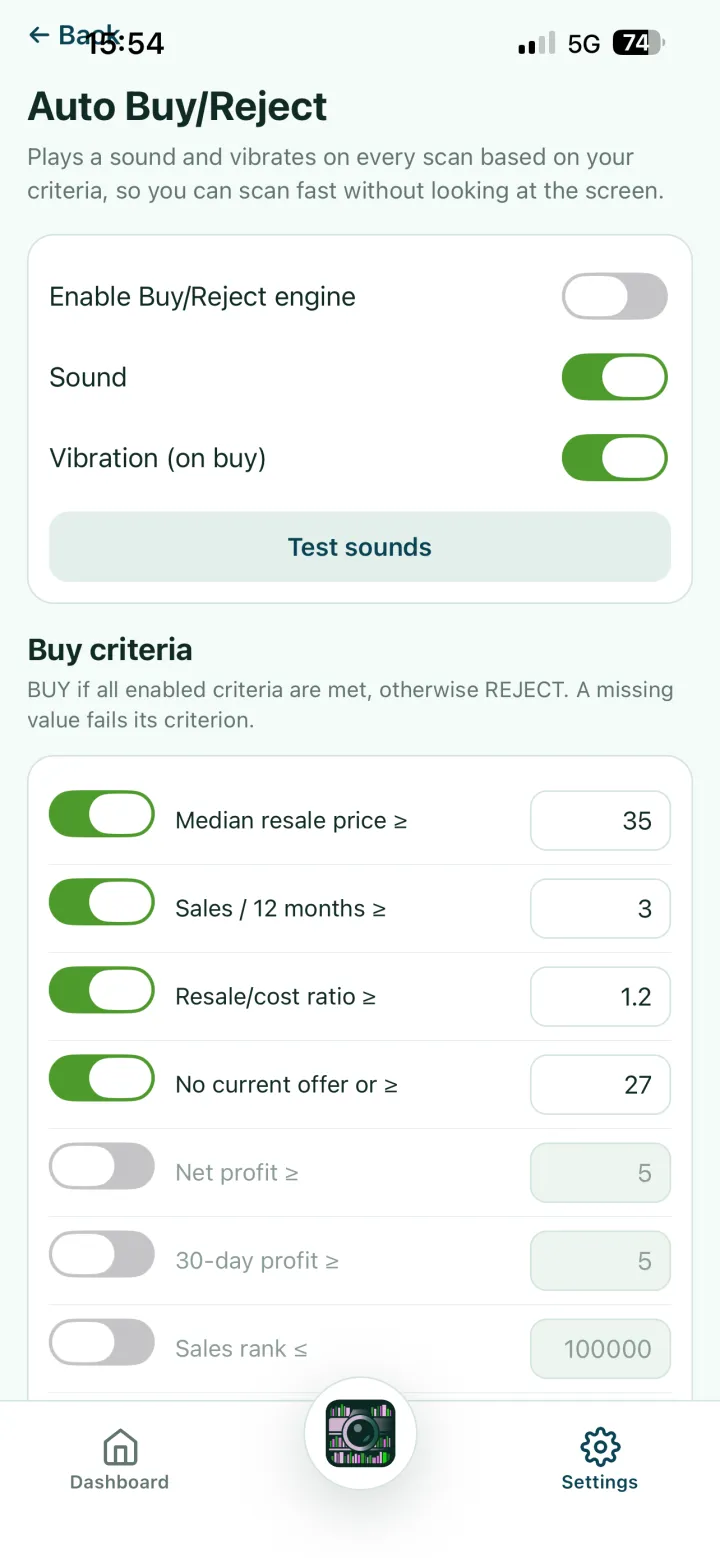
To go even faster, turn on Auto Buy/Reject mode in the app settings.
This mode lets you define your own criteria for a worthwhile book (for example a minimum resale price, a target margin, a sales rank, and so on). Once it's set up, the app decides for you: is this book worth buying, yes or no?
In practice, when you scan a barcode with this mode on:
- if the book matches your criteria, the app plays a sound or vibrates;
- you instantly know whether to keep it, without even looking at the screen.
The result: you rattle through scans with your eyes on the books, and only set aside the ones that are actually worth it.
In summary
| Situation | Recommended method |
|---|---|
| Tidy shelf, spines visible | 📷 Bookshelf photo |
| Bin of loose / badly angled books | 🔢 Barcode mode |
| Large volume to sort very fast | ⚡ Live Mode |
| Sort buys/rejects without looking at the screen | 🔔 Auto Buy/Reject |
A few seconds to set your criteria once, and you turn any bin of loose books into an express sorting session.