← Table of Contents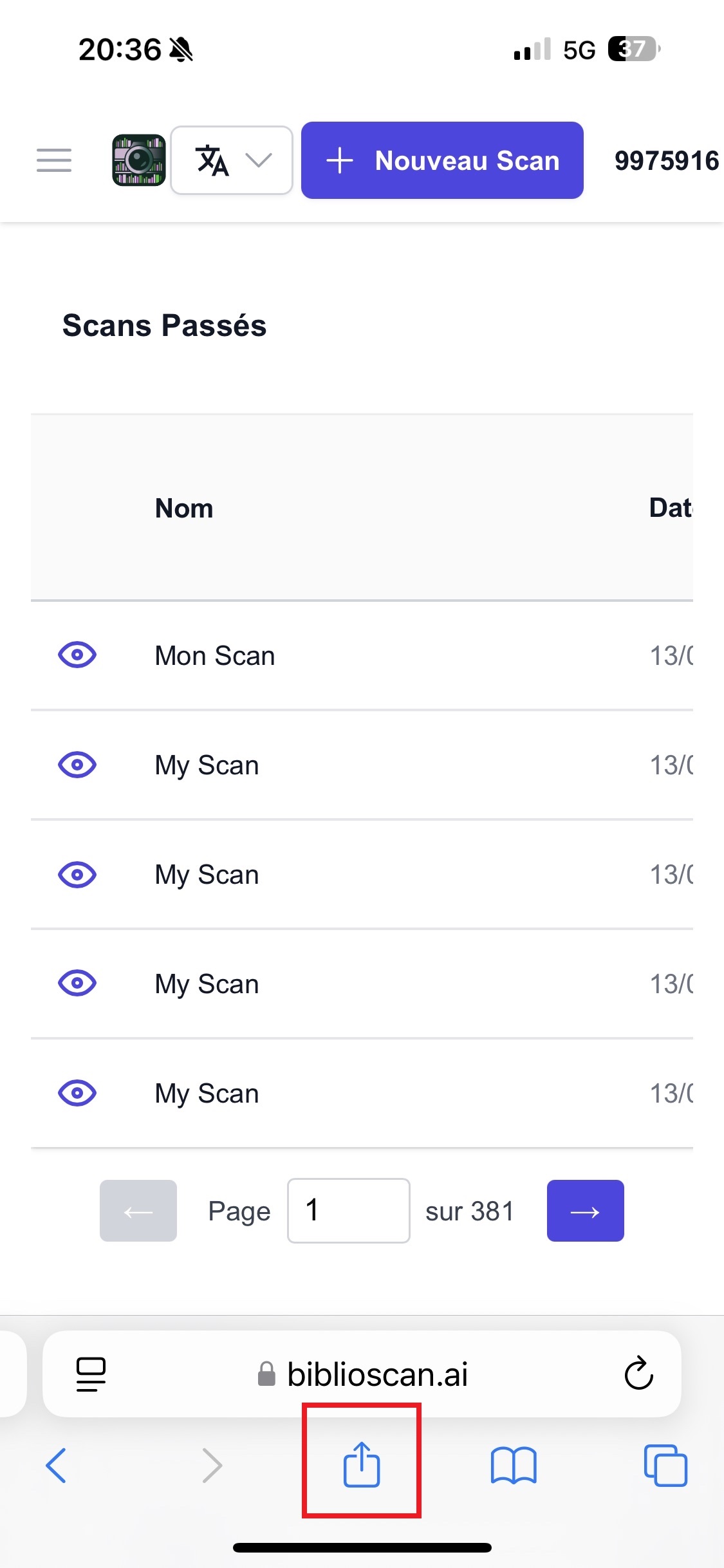
📱 Full screen mode
Great news! You can add biblioscan.ai directly to your home screen as a mobile app.
It will then open in full screen mode, without the address bar, like a native app 📱✨
🔹 On iPhone / iPad (iOS)
🔸 Required browser: Safari only
Steps to follow:
Open Safari on your Apple device.
Go to:
👉 https://biblioscan.ai/
Wait for the site to load completely.
Tap the Share icon (square with upward arrow).
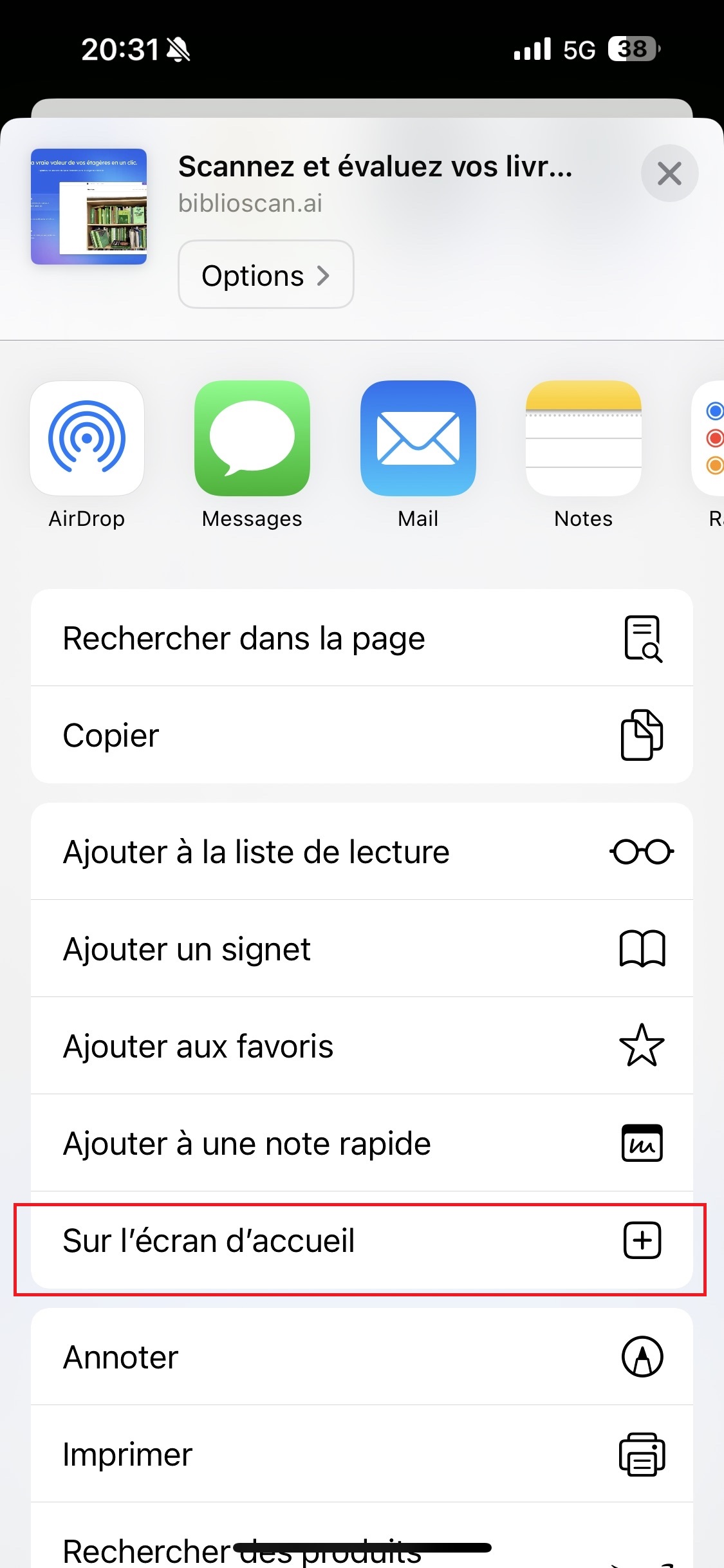
In the menu, tap "Add to Home Screen".
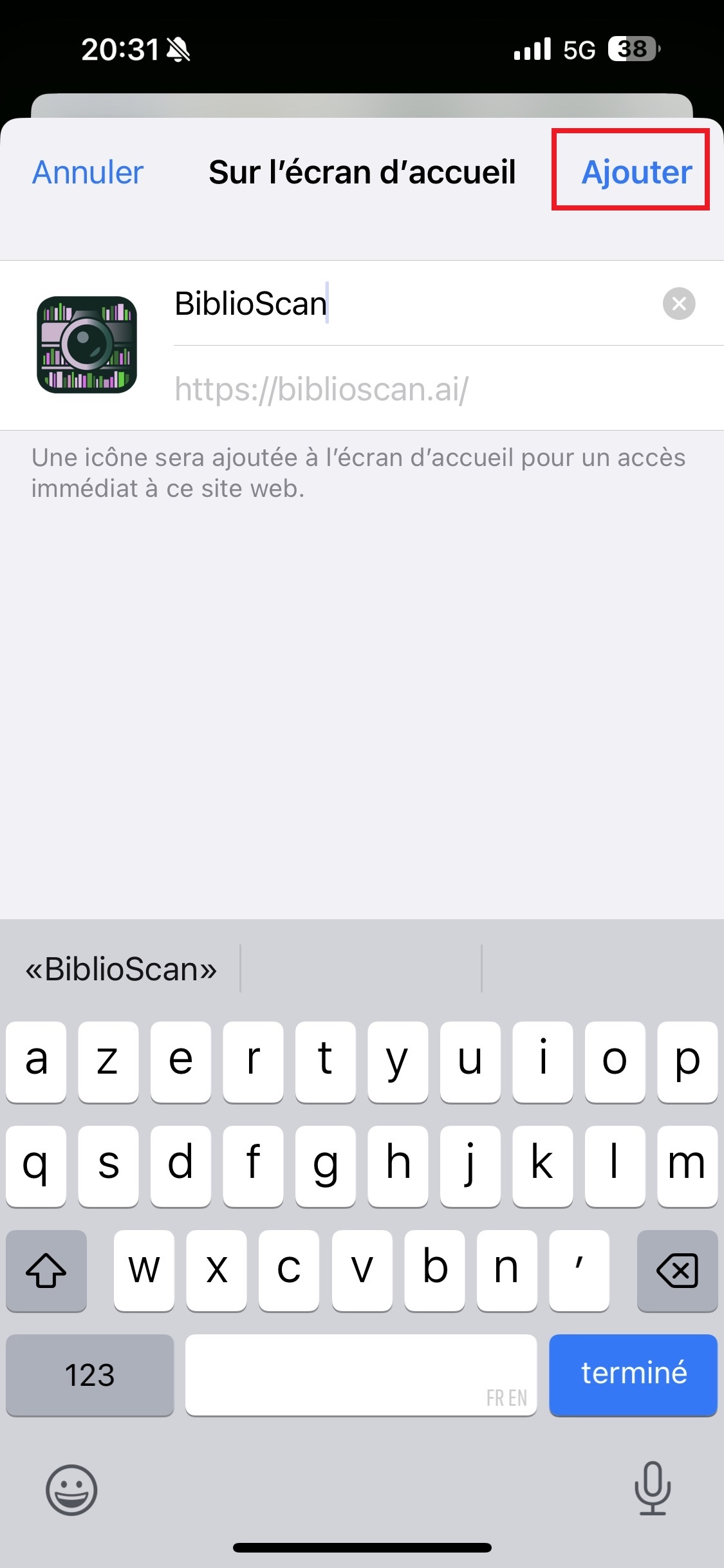
Give it a name if you want (e.g. "BiblioScan"), then tap Add.
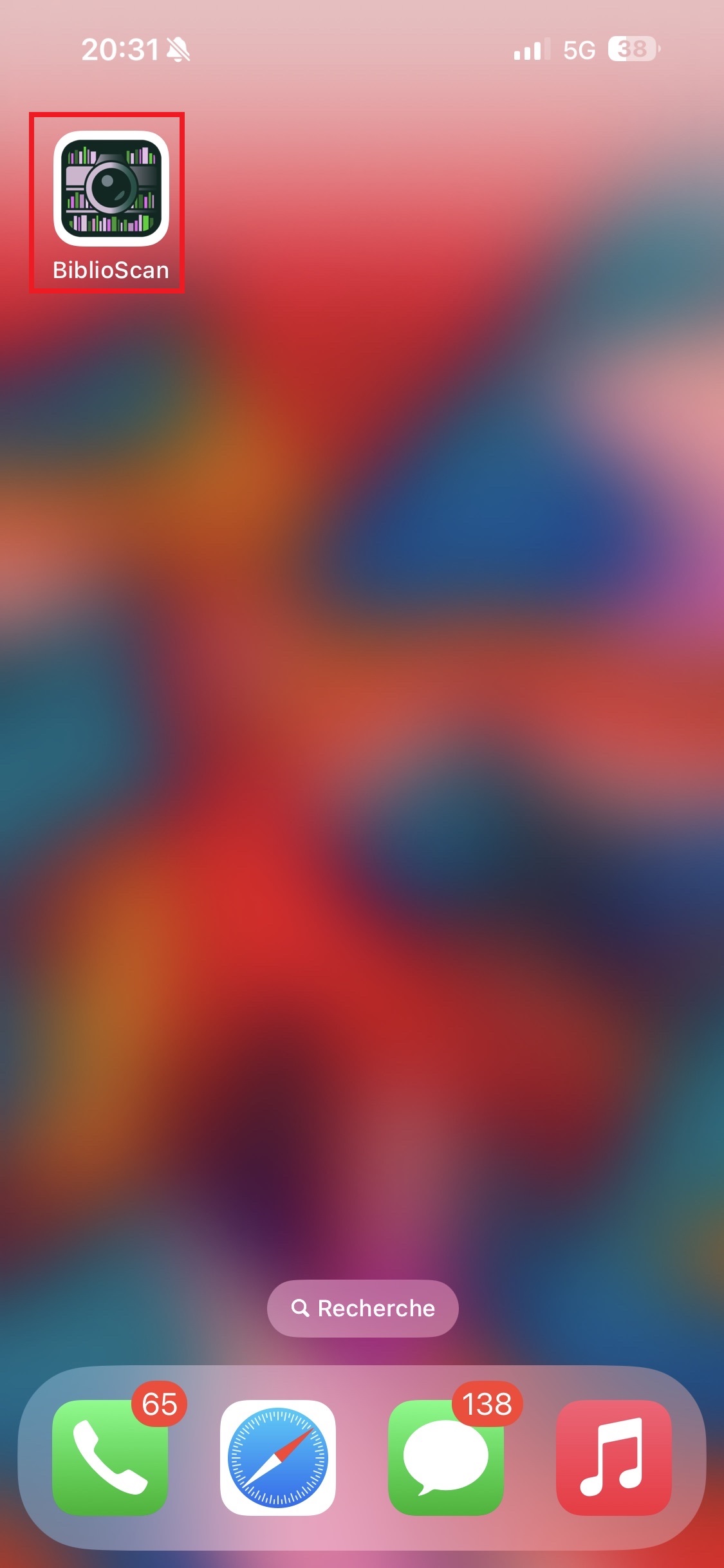
✅ The icon will appear on your home screen.
👉 By tapping it, the app will open in full screen mode, without Safari's address bar.
1. Open Safari
2. Go to biblioscan.ai
3. Tap Share
4. Add to Home Screen